Structured Network Cabling
Create an organized cabling foundation for workstations, wireless access points, telephones and shared systems, with documented routes and connections that make future changes easier to manage.
ROYALTECH SOLUTIONS · QATAR
Build your workplace technology on a connected foundation. Plan network cabling, Wi-Fi, servers, storage, backup, IP telephony and IT equipment around your business requirements.
Site layout, users, network capacity, equipment compatibility, data storage, recovery priorities and telephone requirements shape the scope. Specifications, licensing, testing and handover are agreed in your quotation.
Confirm access, retention, integrations and applicable site requirements before implementation.
Data protection & securityExplore four telephone extension options for everyday desks, reception teams and managers.
Create an organized cabling foundation for workstations, wireless access points, telephones and shared systems, with documented routes and connections that make future changes easier to manage.
Plan copper data cabling around workstation connections, network equipment and intended applications, with Cat6 or Cat6A selected to suit the installation environment and agreed performance requirements.
Connect network areas using fiber optic cabling, with route planning, fiber selection, termination and testing organized around backbone links, equipment compatibility and the physical installation conditions.
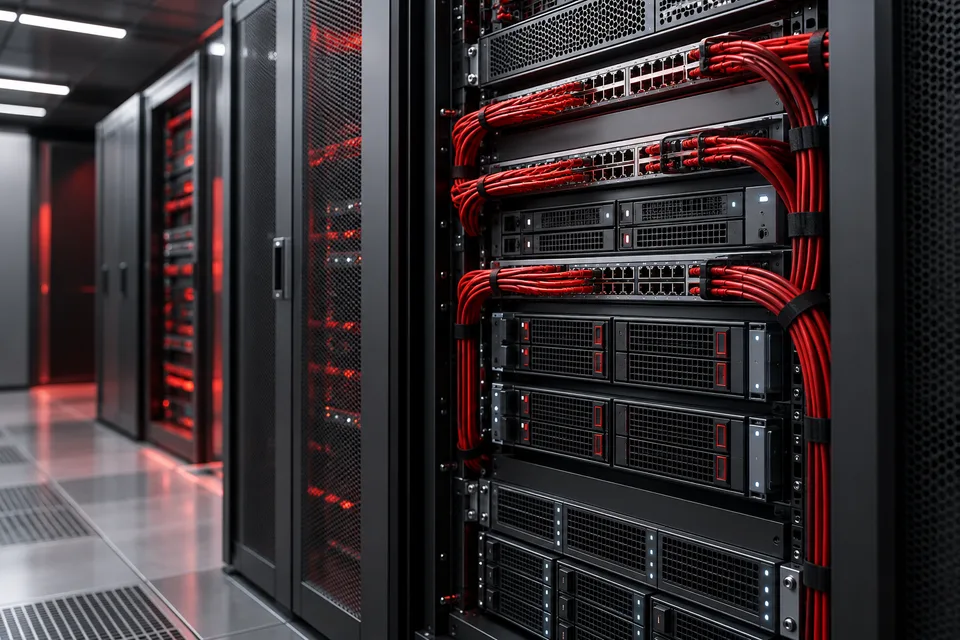
Arrange switches, patch panels, servers and power connections in a practical network rack, with accessible cabling, clear identification and space planned for maintenance and future equipment changes.
Bring permanent network cables into a labeled patch panel so outlets can be connected to switches consistently, simplifying port identification, fault tracing and controlled changes to office connections.
Install and configure network switches for the devices, traffic and management requirements of your workplace, with port assignments, network separation and uplinks documented for ongoing administration.
Configure internet connectivity, routing and firewall policies around authorized business traffic, with controlled administration, documented rules and connectivity checks for the services your organization needs to use.
Design workplace Wi-Fi around users, room layouts and connected applications, positioning access points and configuring wireless networks to support usable coverage and straightforward administration throughout the office.
Prepare a business server from physical installation through operating-system and service setup, aligning hardware, storage, network connections and access permissions with the applications it will support.
Investigate server faults and plan corrective maintenance using system symptoms, logs and resource checks, with changes coordinated around application dependencies, available backups and an agreed service window.
Organize shared business files and storage access through a network-attached storage solution, with permissions, folder structure, capacity planning and backup responsibilities defined around the way your teams collaborate.
Trace unstable connections, slow transfers and intermittent network faults through structured checks of cabling, switching, wireless links and routing, then validate changes against the reported business impact.
Keep network maintenance responsibilities organized through an annual service scope covering agreed switches, routers, access points and cabling, with planned checks, incident handling and documented follow-up actions.
Build a coordinated office calling system with Grandstream PBX and compatible endpoints, aligning extensions, reception workflows and provider connections with how your teams answer and transfer business calls.
Connect entrance communication with reception or designated staff using a planned video intercom system, with device placement, network requirements and authorized door-release functions considered as one installation.
Move or upgrade office networking through a staged plan that coordinates outlets, equipment, internet readiness and user connections, with the change sequence documented before systems are transferred.
Plan controlled connections between users, offices and business systems using network separation and VPN access, with authentication, permitted resources and monitoring responsibilities defined for the intended working environment.
Prepare the physical environment supporting business systems, coordinating rack layout, backup power, cable organization and environmental considerations around the equipment that will operate in the server room.
Select and install server hardware matched to business workloads, with processor, memory, storage, connectivity and physical mounting requirements reviewed before procurement and checked during the installation handover.
Configure an existing or newly installed server for defined business roles, with storage layout, network settings, administrative permissions and service dependencies documented for a clear operational handover.
Plan routine server care around system health, updates, storage condition and documented changes, with maintenance tasks scheduled according to the operating environment and the applications depending on it.
Install a network-attached storage device and establish its initial storage, network and user-access settings, with shared folders and handover checks prepared for the intended business use.
Plan Synology network storage around shared files, access management and approved backup workflows, selecting a suitable device and supported applications according to your data and administration requirements.
Configure Veeam backup workflows around supported workloads, recovery priorities and suitable repositories, with job schedules, retention rules and restoration checks documented for the systems included in the deployment.
Replace ad hoc copying with scheduled business backups that reflect data ownership, retention needs and recovery priorities, supported by clear job monitoring and checks of selected restored files.
Keep selected backup copies away from primary business systems through a cloud or offsite arrangement, with transfer methods, access controls, retention and recovery procedures agreed for the chosen destination.
Assess missing or inaccessible business data and available recovery options, prioritizing preservation of the affected source while reviewing backups, device condition and the circumstances surrounding the data loss.
Translate recovery priorities into a technical plan for restoring important systems after disruption, coordinating backup sources, replacement infrastructure, application dependencies and a documented sequence of recovery activities.
Map how essential business activities can continue during a technology interruption, linking operational priorities, staff responsibilities, alternate working arrangements and communication procedures with the supporting recovery plans.
Increase usable business storage through a planned expansion or migration, checking platform limits, drive compatibility, data protection and application access before changing the existing storage arrangement.
Turn backup job results into actionable operational reports, identifying missed runs, failures, capacity concerns and unresolved follow-up items across the backup systems included in the agreed monitoring scope.
Move server workloads to a new environment through discovery, compatibility checks and a controlled changeover, with data transfer, application validation and rollback arrangements defined before production use is switched.
Plan virtual server environments that match application workloads, storage and administrative needs, with host resources, virtual networking and backup integration defined for the selected virtualization platform.
Install an IP PBX as the central point for office extensions and call handling, preparing network connections, core settings and tested calling paths before users begin daily operation.
Choose and configure Grandstream IP phones for everyday users, reception teams and managers, matching handset functions and network requirements to the calling roles within your office telephone system.
Organize business calling around departments, staff locations and reception workflows, combining extensions, external lines and practical user guidance into a telephone system suited to everyday office communication.
Connect a compatible office PBX to a provider SIP trunk, with authentication, number mapping, calling permissions and network settings reviewed before inbound and outbound calling tests are completed.
Set up individual IP phones with the correct extension, network access and calling controls, then verify everyday functions such as dialing, answering, transferring and reaching the intended voicemail destination.
Equip reception teams with a telephone arrangement designed for frequent answering and transfers, using suitable desk phones, extension visibility and configurable keys matched to the office call-handling workflow.
Guide incoming callers through clear department choices and business-hour rules, configuring call routing and IVR prompts to reflect who should answer and what happens when a destination is unavailable.
Create practical internal communication between rooms, departments or reception points through an office intercom arrangement, with device placement and calling permissions designed around the way staff need to communicate.
Add visual identification to entrance or internal communication with compatible video intercom devices, arranging camera views, audio paths and answering locations around the intended visitor or staff interaction.
Maintain the PBX, configured endpoints and calling arrangements within an agreed scope, reviewing registration issues, call quality symptoms, configuration records and approved changes that affect business telephone operation.
Prepare labeled cable connections for office telephones, connecting desk locations, distribution points and supporting equipment with a layout suited to the selected telephone technology and the building environment.
Select business laptops around staff roles, application requirements and mobility needs, with memory, storage, display connections and operating-system choices reviewed before equipment is supplied and prepared for handover.
Equip fixed workspaces with desktop computers selected for office applications, available space and peripheral connections, with a consistent specification and initial setup suitable for the employees who will use them.
Specify professional workstations for demanding design, engineering or analytical applications, matching processor, memory, graphics and storage choices to software requirements and the way your specialist teams work.
Choose and set up printers and scanners for document workflows, matching printing, scanning, connectivity and access needs to the teams that create, share and store business documents.
Source server and storage equipment as a coordinated infrastructure specification, checking workload needs, component compatibility and connection options so the supplied hardware fits the business systems it will support.
Select switching and routing equipment for workplace connectivity, reviewing ports, uplinks, management functions and network roles so proposed devices fit existing systems and planned changes to the infrastructure.
Select a business firewall that fits network boundaries, application traffic and administrative needs, reviewing required security functions, connectivity and licensing before recommending a device and its deployment scope.
Source wireless access points matched to office coverage, client devices and management needs, checking power, mounting and controller requirements before selecting equipment for a new or existing wireless environment.
Choose an uninterruptible power supply around connected equipment, power demands and shutdown needs, checking electrical compatibility, battery arrangements and installation requirements before the system is connected to business devices.
Complete workplace setups with compatible monitors, keyboards, mice, headsets, docks and connection accessories, checking the host device and intended use before recommending the supporting equipment for each workspace.
Coordinate business technology purchasing through a documented equipment specification, comparing compatibility, delivery requirements and support arrangements so devices can be received, recorded and deployed consistently across the organization.
The right equipment is only part of the picture. We help plan how your devices, security and software work together.
Discuss Veeam backup options, retention, offsite copies and restore testing around the data your business needs.
Explore optionsCompare Fortinet FortiGate and Sophos Firewall requirements for office networks, remote access and agreed security policies.
Explore optionsPlan Dell, HP or Lenovo laptops, desktops and workstations around applications, users and your equipment requirements.
Explore optionsExplore Synology or QNAP NAS requirements and compatible storage drives, including WD options, with capacity, permissions and backup planned together.
Explore optionsPlan Grandstream phone and PBX options, or discuss support requirements for an existing Avaya environment. Model, provider and system compatibility are assessed first.
Explore optionsProduct suitability, licensing, availability and support scope are confirmed in your quotation. Brand names identify technology options; no manufacturer partnership or certification is implied.
Share your location, existing equipment, the problem you want to solve and any timing constraints. We can then discuss the assessment and quotation requirements.
Site layout, users, network capacity, equipment compatibility, data storage, recovery priorities and telephone requirements shape the scope. Specifications, licensing, testing and handover are agreed in your quotation.
Share the equipment models and the changes you need. Compatibility and the proposed scope must be reviewed before a solution is confirmed.
Inclusions, exclusions and ongoing support are specified in your project proposal and service agreement.
Share a floor plan, user count, connected devices and business applications. Include planned cameras, access points and IP phones so connections, power and network separation can be considered together.
Define the relevant connection and application checks before work starts. Ask for labels, configuration records and test findings appropriate to the scope so your team can manage later changes.
Attendance devices, HR integrations and managed door access.
Camera installation, recording systems, upgrades and CCTV maintenance.
Onsite and remote IT support, maintenance and agreed AMC plans.
Tell us what your business needs. We’ll help you explore the right solution.